
From Visual Rebrand to AI-Ready Product Strategy
StealthSeminar to ThriveSeminar
In short
- Problem
- A brand transformation and a deep UX overhaul were needed at once, on a product with legacy navigation and complex scheduling.
- My role
- Product designer. I set the three-phase framing, synthesised the research into product direction, and reviewed the editor as a whole workflow.
- Key decision
- Separate the immediate reskin from the structural redesign, so the team knew what could ship now and what needed deeper product work.
- Outcome
- Phase 1 reskin and Phase 2 UX direction prepared for implementation. Future AI capabilities remain exploratory.
- Role
- Product/UI/UX Designer
- Scope
- Product strategy, UX redesign, visual reskin, user-research synthesis, design systems, AI opportunity exploration, and implementation review
- Collaboration
- Product, engineering, design, QA, marketing, and customer-facing teams
- Status
- Phase 1 reskin and Phase 2 UX direction prepared for implementation and review. Future AI capabilities remain exploratory unless explicitly marked as shipped
- AI leverage
- Design exploration, mobile coverage, component review, documentation, and AI product concepts
The Challenge
The project faced a twofold challenge: performing a visual and brand transformation while simultaneously executing deep UX improvements driven by consumer studies. Legacy navigation, complex scheduling matrixes, template picking, and webinar creation paths had persistent cognitive overhead.
To avoid design creep, I had to distinctly separate the immediate reskin constraints from our more ambitious structural overhaul, while laying down interfaces that could support future ThriveAI integration models naturally.
Product Staging Timeline
Phase 1 — Reskin the existing flow
Rapidly deployed visual styling to immediately unify StealthSeminar with the Thrive brand guidelines.
Phase 2 — Redesign the UX and introduce new features
Introduced high-value features: global search, unified templates, and a redesigned video setup.
Phase 3 — Align the product with ThriveAI
Laid ground systems for embedded setup assistants and conversational moderator layers.
This structure helped product, design, and engineering understand what could be delivered immediately and what required deeper product work.
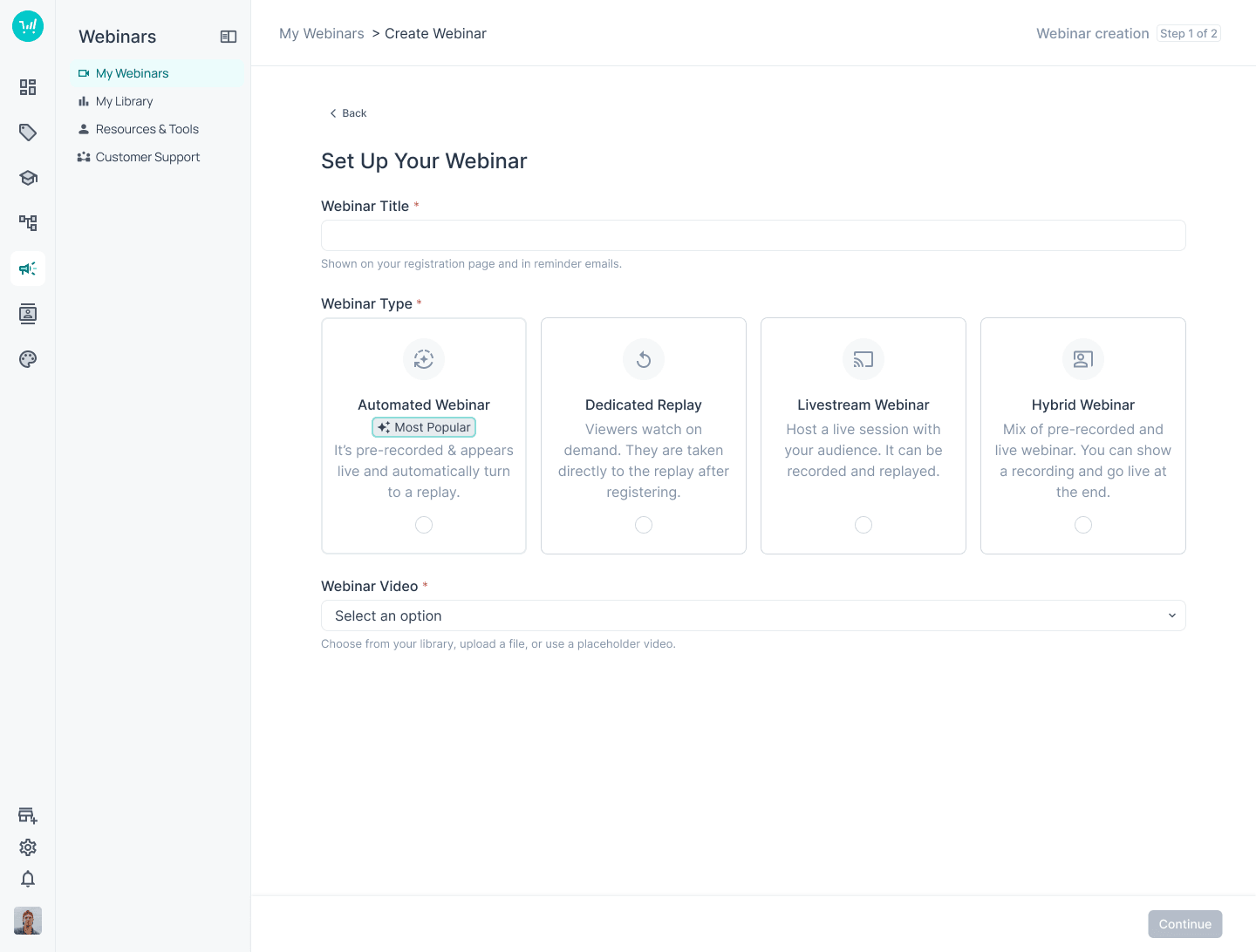
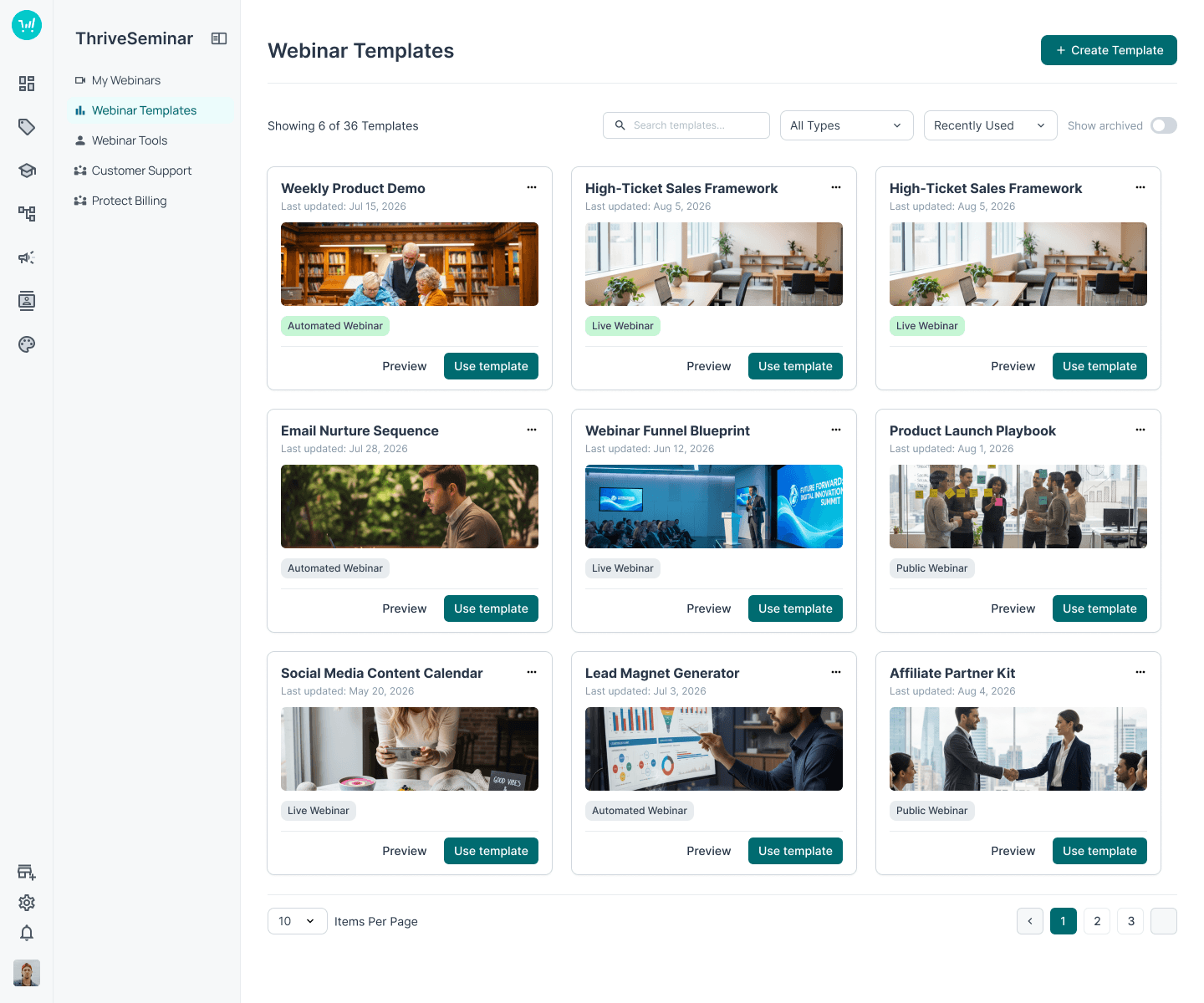
Webinar Creation
Editor UX
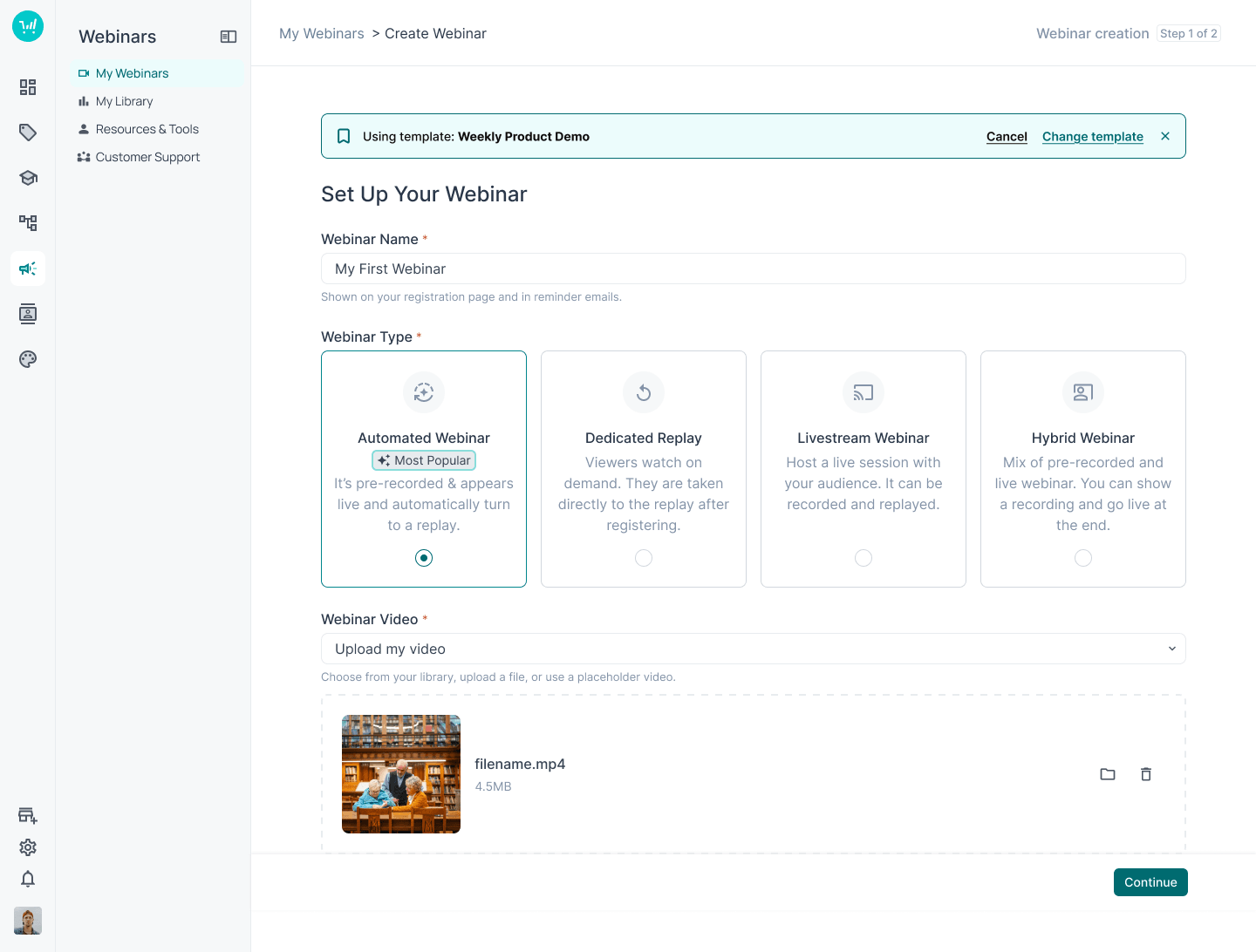
I reviewed the webinar editor as a complete workflow rather than a collection of isolated screens. The recommendations addressed template selection, CTA clarity, editor viewport scaling, funnel navigation, panel behaviour, image upload, drag-and-drop interactions, expandable sections, and alignment between the editor and the Thrive brand.
The goal was to reduce ambiguity and help users understand what would happen before taking an action.
Customer Research to Actionable UX
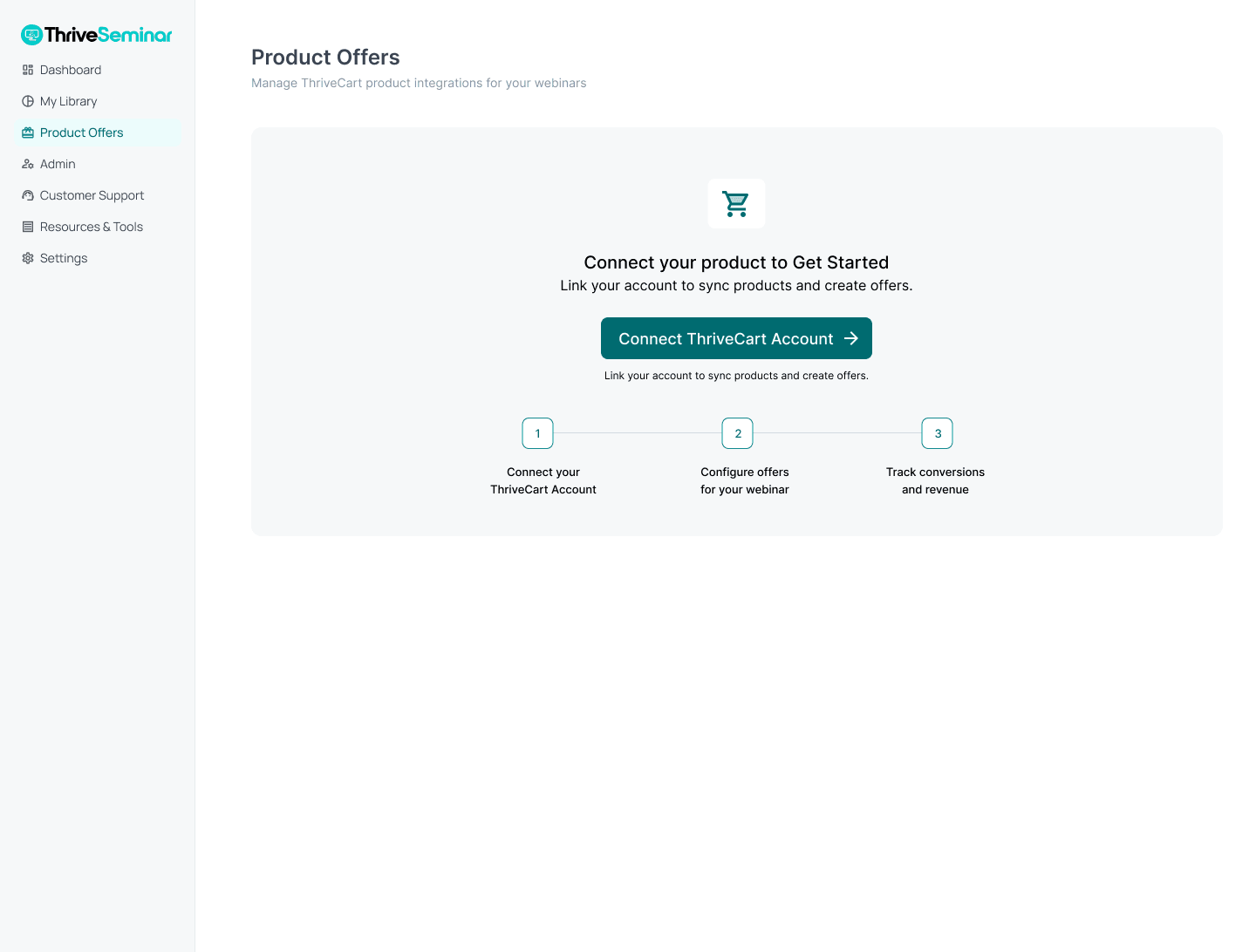
I reviewed findings from previous user-testing sessions and translated them into an actionable product direction. The research highlighted opportunities including global email search, cross-webinar statistics, dashboard time-period filters, more flexible recurring schedules, save-as-template functionality, clearer webinar-type guidance, better navigation, improved previewing, and clearer reporting and product offers.
The work was not simply a list of feature requests. I organised the feedback into areas where the experience could reduce confusion, improve confidence, or save users time.
- Clearer CTA language: viewport elements reworded to reduce action ambiguity.
- Navigation preservation: ensured complete access to main channels while editing.
- Better image selection: integrated drag-and-drop file targets directly into setup forms.
Concept diagram — design to direction
- Customer research study review
- Synthesised setup and timeline pain points
- Identify high-value UX product opportunities
- Refined interface prototypes and sandbox reviews
My Ownership
I directly contributed to or drove: the three-phase design and product framing; research synthesis; translation of user feedback into feature opportunities; UX recommendations for webinar setup; editor experience improvements; Figma annotations and implementation guidance; typography and component consistency; AI opportunity exploration; design review across the reskin; and communication of design decisions to product and engineering.
I partnered with product, engineering, QA, marketing, and customer-facing stakeholders on prioritisation and implementation.
Impact
Strategic
The project created a clearer product direction by separating immediate reskin work from deeper UX improvements and future ThriveAI integration.
User
The work addressed areas of confusion in webinar creation, navigation, templates, scheduling, reporting, and publishing.
AI
The work identified practical opportunities for AI to reduce setup effort and improve attendee support without treating AI as an unnecessary interface layer.
Team
Product and engineering received a phased product direction, research-informed feature opportunities, annotated designs, component guidance, and more structured implementation requirements.
AI concept explorations
Embedded Assistance Over Superficial Features
Exploratory conceptThe research also revealed opportunities for AI-assisted product experiences, including an interactive AI setup assistant, an AI attendee moderator, guided webinar creation, and more intelligent support during setup.
The goal was not to add AI as a visual trend. The goal was to explore where AI could help users complete complex tasks with less effort and more confidence.
AI Webinar Setup Assistant
Exploratory product concept.
A smart configuration helper designed to dynamically generate templates and fill fields based on user goal inputs.
AI Attendee Moderator
Exploratory product concept.
An embedded assistant that filters and groups live audience questions to surface major themes for hosts.
Strategic Product Outcomes
Clearer product strategy
Transformed a basic visual skinning sprint into a roadmap covering both urgent aesthetic debt and core user flows.
Research-led UX
Addressed long-standing interface bottlenecks by converting direct usability findings into modern patterns.
Practical AI opportunities
Identified specific interaction zones where embedded assistants can lower user setup overhead.
Handoff rigour
Supported clearer development handoff and implementation review across complex schedules and video configuration panels.
Closing
I do not use AI to avoid thinking. I use it to explore more possibilities, cover more of the product, and spend more time on the decisions that require human judgment.